Image Map
Showing posts with label my favorite things {series}. Show all posts

6.13.2014

Friday Favorite: Next Issue


I love reading magazines but can't stand when I don't have the time for them and they stack up. When the stack gets to be two or more months of magazines high, I usually just throw them out. {Those that I can take to school for projects, I do, as long as they're "clean".} I feel like I'm wasting money throwing them away.

http://bit.ly/1oQERoF


Last year I discovered Next Issue and haven't looked back. Next Issue is a subscription service that gives you unlimited access to over 135 magazines. I love that I can view back issues that I may have missed and I can access my subscription from all of my devices - Android, iPad, and Windows 8.


I currently have 30 magazines that I get the updates for on my app. My favorites are ShopSmart {which I always felt was a very expensive print subscription for only 10 issues}, Better Homes & Gardens, Do It Yourself, HGTV Magazine, Real Simple, Self, & PC World. I have my favorites set up to automatically download new issues. All of the others will download the current issue when I click on it. Any downloaded issues can be accessed offline, so you can read them when you don't have a connection - like on an airplane. What's better than having several of your favorite magazines at your fingertips on a long flight without adding the extra weight to your carry on?


Pricing is $9.99 a month for unlimited basic {127 magazines to choose from - this is the one I subscribe to} or $14.99 a month for unlimited premium {137 magazines to choose from - adds selections like People, Sports Illustrated, Entertainment, Time, & more}.

Interested in trying Next Issue? Sign up and receive a free 60 day trial to decide if Next Issue is for you.

6.06.2014

Friday Favorite: Graze.com


I was recently introduced to Graze.com by a fellow teacher at my school. I'm so happy I decided to try it out for myself!


Graze is a subscription service {with no commitment} that specializes in healthy, portion controlled snacks. I'm always cautious with subscription services because I don't want to be "locked in" to something that I potentially won't like. Because I signed up through my friend, I received my first box free - no strings attached. I loved it so much that I decided to stay subscribed. It's just $6 a box with free shipping.

Once you're subscribed you can go into your account and customize your box. I'm able to rate the items I receive so they get to know my taste and can send things similar to those that I rate "like" and "love". I just received my second box this week and love everything I've tried so far.

Each nibble and calorie counter box comes with 4 snacks. {I get the nibble box.} You also get to choose how often you want to receive your Graze boxes - every week or every 2 weeks. Also, if you decide you want to cancel, you can easily do so online, but because they prepare boxes in advance, it has to be at least a week before your next shipment.

Interested in trying it Graze? If you sign up with my promo code, you can get your 1st and 5th box free! The code is: QDV7G25RP

If you decide to try Graze, let me know what you think! If you already have tried it, I'd love your feedback, too. :)

5.09.2014

Friday Favorite: ShopAtHome.com


Do you shop online often? I use ShopAtHome.com when I shop online to earn cash back on my purchases, and find coupon codes. I earn around $20 a month in cash back. I'm going to shop online, so why not save money and earn cash back at the same time?

ShopAtHome Banner

I love that Shop At Home offers specials on cash back percentages throughout the month. Generally when I find a sale through JCP or Vera Bradley that comes through my email, I'll go to to SAH and they'll have a special on the cash back percentage. It makes sense that the cash back percentage would be higher during a sale to promote shopping through those sites.

Shop At Home also has a smartphone app, available for iPhone and Android. The smartphone app will notify you if there are in-store offers available for nearby retailers.

If you sign up with my link we will each get a $5 bonus after you make your first online purchase through Shop At Home. There's really no "catch" with SAH. I've been using their cash back program for about 4 years now and it's the best one I've come across thus far.

11.27.2013

My Favorite Things: Target Cartwheel App

http://cartwheel.target.com/‎
{This post is not sponsored.}

I love Target - everything about it. But my new favorite thing about it is the Cartwheel app. While I shop I scan the things I put in my cart to see if there's a coupon available for a % off. If there is, the coupon pops up and I add it to my cartwheel. Then when I checkout, I have the cashier scan my phone for instant savings. No coupons to clip. No planning ahead needed.

I've only been using the app for the last two months and I've already saved $43.48! Right now there are 721 different savings that you can use, including groceries, home goods, toys, clothes, and more.

On a side note: I feel so much better now that I've shared this. I get so excited every time I use it and think, "I need to share this with my readers". :)

1.22.2013

January 2013 Challenge {Home Management: Week 4}


Today I'm sharing my favorite resources for home management.

Blogs & Pinterest
Blogs are one of the best places to get inspiration for getting your home in order. When I find something that inspires me, I pin it on Pinterest. My favorite blogs are...
Roboform
Since I'm online a lot, I have tons of accounts with various websites. I'm always bouncing back and forth between websites, having to log in to access my accounts. I've been using Roboform for years and it's by far my favorite password & form fill software I've used. It saves me time from typing everything in - such as my name, address, email address, etc. when registering for things. Also, being that websites now sometimes require a capital letter, number, special character, etc. for a username and/or password, it helps me keep track of that info. I purchased the pro license a few years ago and it was definitely worth it. Whenever they have updates, it updates for free - no need to constantly purchase the new version.

Cozi
I absolutely love Cozi. It's a great tool for managing information among family members. Some of the features are calendar, shopping and to-do lists, reminders, meal planning, and more. All of these things can be set up for an individual or shared with other family members. They even have phone apps! Have teenagers? Click here to read the list of ways you can use Cozi with your kids!


Family File Box
Our file box helps keep us organized - both personally and when it comes to mail/papers to file. I have a monthly calendar hanging on the front with bill due dates written down. The hanging files in my box are: printables, scan, recipes, Tiffany, Chris, outgoing mail, to file, paper, coupons, taxes.


Shaklee Basic H2
Basic H2 is super concentrated, so a 16 oz bottle can create 48 gallons of cleaner. You can mix Basic H2 with water to create all-purpose, window, and degreasing spray cleaners. I absolutely love the degreaser. It works so well - especially with microfiber cloths.

What are your favorite home management tools/resources?

1.11.2013

Friday Favorites: Pocket

Have you heard of Pocket? {Formerly Read It Later.}

I've been using this service for years. I first discovered it as an add-on for the Firefox web browser. Pocket allows you to save webpages on the internet for later viewing. I use it for any articles I'm interested in reading or referring back to, but don't want to pin on Pinterest or save to my bookmarks. Pocket can be accessed from the internet or from apps for iPad, Android, Kindle Fire, and other devices. The cool thing about the add-on for Firefox, is when I'm on a webpage I want to save, all I have to do is hit the Pocket button in my browser window. It's automatically synced to my account, which can be accessed from any device.

If you're looking for a way to easily organize articles and videos you want to view later, Pocket is definitely the way to go.

* This post is not sponsored. I just simply really love this service!

1.04.2013

Friday Favorites: Fonts - Part 12


I love fonts! My favorites recently all come from the same designer - Kimberly Geswein. Her fonts are free for personal use. {I purchase commercial licenses to use them in my work that I sell and use in freebies.} Here are my go-to fonts for everything I'm creating.

All fonts can be found on Kimberly Geswein's website.

8.03.2012

Friday Favorites: 5 Finance & Bill Management Websites


I haven't written a Friday Favorites post since the beginning of May! The last 3 months have seriously just flown by. So many life changes right now - all for the best. I'll catch you up soon enough, once the dust settles. Until then, I'll be sporadically posting {not that it's any different than what I've been doing lately}.

Today I want to share my 5 favorite finance / bill management websites. Last month I shared my finances binder. I used it all through July and love it. But I do still use a few online resources to help me manage by finances and bills. They keep me reminded at times like these when my mind is fried by 3 p.m. {On a side note - I seriously used to have the best memory. I don't know what's happened. I don't want to say "aging". I'm only 25, after all. But I think it's the hypothyroidism. I noticed the memory-decline around the time I was diagnosed. I don't even know if that's possible - but I have major "brain farts" all of the time.}

Mint.com - Take Control of Your Money#1 {Mint.com}
Perhaps you've heard of Mint? I have been using it for quite a few years now and absolutely love it. Here's my financial confession: we don't balance a checkbook. *gasp* I keep receipts, but I'm far too lazy to take the time to add/subtract from a check register. Everything is online, after all. I monitor our bank accounts closely, so I don't see the big deal. Mint helps me with this by nicely managing all of my bank, credit card, and student loan accounts in one place. I can see transactions and balances. I can categorize so I can see our spending "trends" each month. {A little to heavy on the dining out "trend" last month. Oops!} Besides all of the cool stuff I've already mentioned, Mint has a smartphone app. I absolutely LOVE this. I can easily log in to the app and see our current cash balance {as well as that lovely negative debt balance - which actually has, at times, caused me to rethink purchases}. Our bank accounts would be a mess if it weren't for Mint - seriously.

#2 {Capital One 360}
Hear me out. I'm not trying to "sell you" on a bank - I just really love Capital One 360 {formerly ING Direct}. We've had an account with them for 3 years now. We also have an account with a local bank, but I love CO360 more. The whole reason for opening this account was so we could save money. Save in a place with a decent interest rate. Save in a place that's "out of sight, out of mind" - CO360 is an online bank. They have a super cool smartphone app as well. The app lets me take pictures of checks to deposit them. They currently have a promo where you get $20 for signing up. It was seriously one of the best decisions we've made to open an account with CO360. I have 3 savings accounts and one checking - all with zero fees. Why have 2 accounts? We use our local bank for spending cash {Chris' paycheck is automatically deposited in this account} and the CO360 account for savings and bill pay {my paycheck is automatically deposited in this account}.

#3 & 4 {Manilla & Pageonce}
Manilla and Pageonce are bill management made easy. I linked up all of my bill accounts - credit cards, utilities, insurance, rewards accounts, and even magazine subscriptions. I like that I can log in and view all of my accounts in one place. I seriously can't choose between the two. I like them both equally, even though they pretty much do the same thing. Both have smartphone apps that are great. I really love that both sites will send me bill reminders automatically {right now I only have the Pageonce alerts turned on}. If I haven't paid the bill at the time of the email, I'll star it in my Gmail account so I get to it ASAP. Since I check my email all of the time, I see that reminder constantly.

#5 {Credit Sesame}
Credit Sesame is the ultimate tool for viewing all of my debts and my credit score in one place - for free! They analyze my creditworthiness and current debt, and then give me advice on ways to lower payments and save money when looking for a new loan or credit card. I mostly use this website for keeping up with my credit score. I want to make sure I'm keeping things in excellent standing so that when we're finally ready to buy a house, we can get the best rate possible.

I hope you enjoyed reading about my favorite finance & bill management websites. I'd love to hear what your favorite financial websites are as well!

5.04.2012

Friday Favorites: Gift Ideas


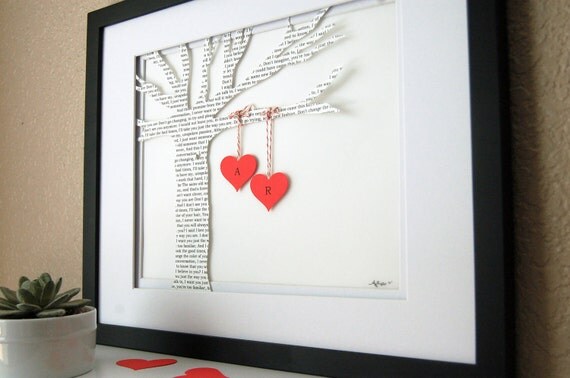
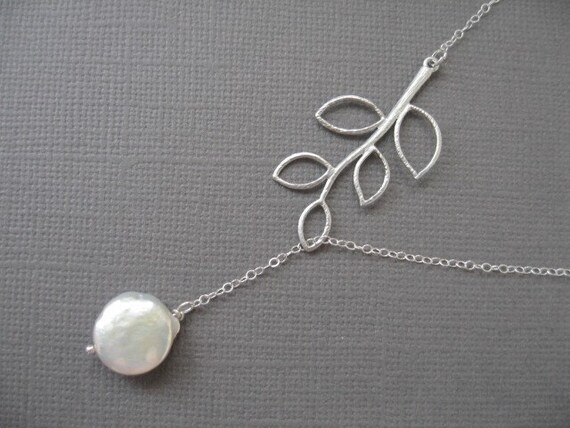
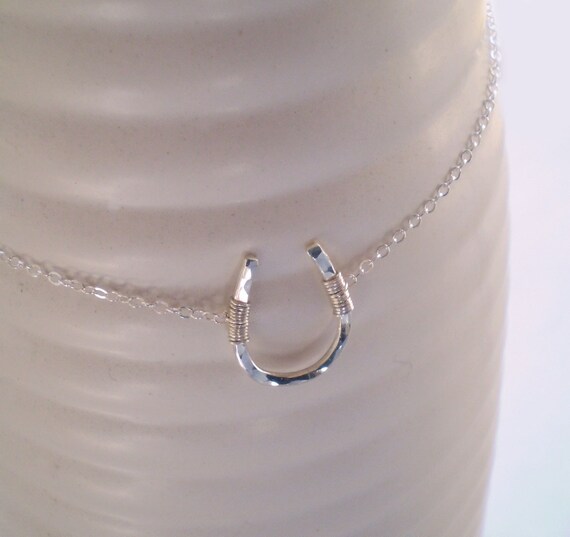
'Tis the season for gift giving. Weddings, teacher appreciation, graduation, mother's day, father's day, etc. I've been seeing so many cool gift ideas popping up all over and I wanted to share.

** Please do not pin any of these photos from this post. Click through to the original website or store to pin them if you wish. **

etsy :: sold by karimachal :: $17

etsy :: sold by DomesticNotions :: $69.80


etsy :: sold by SilverLotusDesigns :: $28

etsy :: sold by BeauAndStella :: $38


5.03.2012

My Favorite Things: Websites - Part 2

I spend way too much time online. Blogs, teacher resource sites, social media, blogging resource sites, curriculum searching, email, recipes, shopping, etc. I'm an internet addict.

I've been debating how to do this post for a while now. Should I categorize each post and write a blurb about each? Or should I just categorize the websites within the post, simply giving the site name/link? Well, I've decided the latter. Sorry if it's not ideal. I promise you though, these websites are great.

Amazon {checking out the daily deals & getting the free paid Android app of the day}
Cozi {our online family calendar that I use to send us reminders}
Etsy {updating my store & browsing others}
 Gmail {the only email I use & have 2 accounts with}
Mint {how I check my bank account balances & budget}
Pinterest {pinning home and education}

Google Apps for Business {home of my blog email accounts}
inlinkz {link collection organizer}
iStockphoto {free stock images each week}
Pixlr Express {for editing photos}
Rivit {advertising}

4.27.2012

Friday Favorites: Fonts - Part 11

I LOVE fonts. I keep a list, similar to this one, in a Word document so I can see what the font looks like with the name of the font so I can easily choose which font I want to use for each project. (Not all of the fonts listed below are free, but most are.)

4.25.2012

My Favorite Things: Websites - Part 1

I spend way too much time online. Blogs, teacher resource sites, social media, blogging resource sites, curriculum searching, email, recipes, shopping, etc. I'm an internet addict.

I've been debating how to do this post for a while now. Should I categorize each post and write a blurb about each? Or should I just categorize the websites within the post, simply giving the site name/link? Well, I've decided the latter. Sorry if it's not ideal. I promise you though, these websites are great.

2nd Grade Shenanigans {education}
A Cupcake for the Teacher {education}
Deep Space Sparkle {education/art}
House of Smith's {home/DIY}
IHeart Organizing {home/DIY/organization}
The Inspired Apple {education}
Ladybug's Teacher Files {education}
Smiling in Second Grade {education}
Space for Living {home/organization}
Step Into 2nd Grade with Mrs. Lemons {education}
The Teacher Wife {education}
What the Teacher Wants {education}


 Google Art Project {virtual art museum, including famous works of art}
Harcourt Storytown Resources {I use this website on a weekly basis}
IXL {math}
Scholastic Printables {worksheets}
Teachers Notebook {purchase units/resources}
Teachers Pay Teachers {purchase units/resources}
Teaching Channel {videos with management ideas}
XtraMath {math facts tests}

4.20.2012

Friday Favorites: Fonts - Part 10

I LOVE fonts. I keep a list, similar to this one, in a Word document so I can see what the font looks like with the name of the font so I can easily choose which font I want to use for each project. (Not all of the fonts listed below are free, but most are.)

4.13.2012

Friday Favorites: Fonts - Part 9

I LOVE fonts. I use all sorts of fonts to create things for my classroom and to create my printables. Back in November and December I shared 30 of my favorites. I now have more to share. I'll be sharing a new batch of 10 weekly, until I run out of faves. I keep a list, similar to this one, in a Word document so I can see what the font looks like with the name of the font so I can easily see which font I want to use for each project. (Not all of the fonts listed below are free, but most are.)

4.06.2012

Friday Favorites: Fonts - Part 8

I LOVE fonts. I use all sorts of fonts to create things for my classroom and to create my printables. Back in November and December I shared 30 of my favorites. I now have more to share. I'll be sharing a new batch of 10 weekly, until I run out of faves. I keep a list, similar to this one, in a Word document so I can see what the font looks like with the name of the font so I can easily see which font I want to use for each project. (Not all of the fonts listed below are free, but most are.)

3.30.2012

Friday Favorites: Fonts - Part 7

I LOVE fonts. I use all sorts of fonts to create things for my classroom and to create my printables. Back in November and December I shared 30 of my favorites. I now have more to share. I'll be sharing a new batch of 10 weekly, until I run out of faves. I keep a list, similar to this one, in a Word document so I can see what the font looks like with the name of the font so I can easily see which font I want to use for each project. (Not all of the fonts listed below are free, but most are.)

2.10.2012

My Favorite Things: Weekends & To-Do Lists

What's better than a weekend with a to-do list? (Maybe a weekend without one...but only if it's because I truly have nothing to do.) A weekend without a to-do list means I get nothing accomplished...and that doesn't mean that I'm getting some well deserved relaxation. When I don't have a weekend to-do list, I end up wasting my time on Pinterest or blogs, literally all weekend. It's ridiculous.

So this weekend, after a long, tough week, I'm looking forward to just getting some things done around the house. I'm not bringing home any school stuff to do this weekend. I'm determined to get it all done tomorrow before I leave school.

What are you up to this weekend? Anything big on the agenda?

12.30.2011

My Favorite Things: Top 5 Cleaning Tools

In the spirit of the New Year and getting organized, I also want my home to be clean. Having a dog makes it hard to keep my home clean...especially since he'd cooped up in our apartment all day long. Luckily he doesn't shed a ton. Right now we have two extra dogs staying with us while my brother, his fiance, and her sister are back in Pennsylvania visiting family. I feel like my home is disgusting...so much dog hair. Sunday, when the dogs go home, I'll be deep cleaning my place before I go back to school on Tuesday.

Here are my top 5 favorite cleaning tools (in no particular order):

Microfiber Cloths
I absolutely love microfiber cloths. I use them for everything - dusting, cleaning with all-purpose cleaner, cleaning electronics, dusting and cleaning the windows in my car, and much more. I like using them for dusting because they do a good job of "catching" the dust and not sending it off all over the room (like a feather duster would). They're eco-friendly because you can wash and reuse them. They're not too expensive, and sometimes you can buy them at dollar stores.

Shaklee Basic H2
Basic H2 is super concentrated, so a 16 oz bottle can create 48 gallons of cleaner. You can mix Basic H2 with water to create all-purpose, window, and degreasing spray cleaners. I absolutely love the degreaser. It works so well - especially with microfiber cloths.

Shaklee Scour Off
Have a tough job that needs some tough love? Scour off is amazing. I've used it to clean my oven (which was disgusting, considering I'm sure the apartment owners didn't deep clean if prior to us moving in) and my kitchen sink. It's so easy to use, doesn't kill you when you're using it (I swear, the spray oven cleaners you purchase in stores could be used in a chemical war), and is safe to use in your home. I don't even have to use gloves when cleaning with it. Yet, it's powerful enough to deep clean those tough stains in my home.


Bissell Lift-Off MultiCyclonic Pet Upright Vacuum
Okay, yeah, no kidding...a vacuum. But not just any vacuum. This one is amazing. It does such a good job picking up dog hair - both from the ground and on furniture (with the turbobrush attachment). Plus, it's bagless, which I've learned to prefer. (No more wasted money on bags that are a pain to attach.) I'd say that this would be my #1 favorite cleaning tool if I had to choose one.


White Distilled Vinegar
So many uses. Seriously. I use it once a month to clean and deodorize the drains in my home, clean the coffeemaker, unclog the shower head, clean the dishwasher, clean the washing machine (when I had one), and clean mildew in the bathroom. It's truly an amazing kitchen staple. You can visit 1001 Uses for White Distilled Vinegar for more ideas on how to use vinegar for cleaning, gardening, laundry, health, automotive, pets, and cooking.

12.28.2011

My Favorite Things: Erin Condren Teacher's Lesson Planner

Earlier this year, before I even graduated from college, I bought an Erin Condren Teacher's Lesson Planner. I thought they were amazing and really wanted one, so I went ahead and bought one before I even had a job. I figured it'd be okay, even if I didn't get a job, because it's not pre-calenderized (lol, like my word?). I was able to pick up and start at the beginning of the planner, even when I started in November. No "wasted time".

Here's what I love about it.

the personalized cover - and the cute owl

the colorful pages

a student checklist section, with several pages - perfect for recording who brought back their report card envelopes, who's had a turn reading in the window, and more

monthly calendars & "what's going on in..." lists

love the format of the weekly planning pages - I set mine up by hourly time block, and it all works out perfectly

lots of notes pages in the back - perfect for faculty and student services meetings

positive encouragement throughout and lots of planning stickers

a two-sided folder to keep my to-do lists and ideas, a plastic zip pouch, and a 2 year in advance calendar for 2012/2013
This planner is $50 - which is a bit hard to swallow for me...for something that my school actually makes for us and gives every teacher for free - with all of the school events already printed into the weekly calendar. If I'm at my school again next year, I won't buy another EC planner. I used the school's planner last year and it worked perfectly (it has most of the same features as this one, just missing the pockets and zip pouch in the back...and the stickers and checklist section...and I can't customize the cover). But considering that I won't be keeping my planner when the year is over, there's no sense in spending $50 to get it I suppose. (Seems like I'm talking myself out of this...lol.)

I'd like to eventually create my own planner. My school has a binding machine, so I'd be able to do it really easily and at a cheap price. If I ever do create my own, I'll show y'all. =]

To learn more about this awesome teacher's lesson planner, visit Erin Condren's store.

Disclaimer: I was not paid or sponsored to write this post. I simply wrote it because I love my planner and wanted to share.

LinkWithin

Related Posts Plugin for WordPress, Blogger...