Image Map

10.31.2011

Giveaway Winner: $50 Erin Condren Gift Certificate

Chosen by the random integer generator at random.org, the winner of the $50 Erin Condren gift certificate is...


Congratulations to #73 - Alli (alli.mar...@gmail)! (Please check your email and respond within 48 hours to claim your prize!)

Thank you to everyone who entered! Come back tomorrow for the start of reader appreciation month with tons of great prizes being given away! =]

Happy Halloween!


Free Halloween Printable from Pick Your Plum

Pick Your Plum's deal of the day today is completely free!

Grab your free boo banner before the deal changes tomorrow.

Happy Halloween!

{source}

10.28.2011

Friday Favorites: Fonts - Part 2

I often receive emails and comments asking what fonts I use. For the next few Fridays I'm going to share my favorite fonts and their sources, if available, with you. Some came on my computer and may not be available for free download online, but others I've found for free online and added to my PC myself. Need help installing fonts? dafont.com has a great FAQ for both Mac & PC users.

1. CAC Pinafore :: dafont
2. Century Gothic :: a-zfonts
3. CluffHMK :: fonts101
4. Desigers :: dafont
5. Green Pilloww :: dafont

Come back next Friday for the next 5!

10.27.2011

October Project: Organizing My Loan Paper Clutter & a Free Printable

Love this post and want to see more like it? Each month through 2012 I will be tackling different topics and creating free printables to go along with the project. View the projects here.


I graduated from college in May of this year and Chris graduated in May 2010. We both have student loans out the wazoo. Not all of our loans are from the same company - some are private, others through various lenders from the government. Keeping all of Chris' straight for the last year has been a challenge, and now my loans start repayment next month. I've been keeping all of Chris' loan info in a binder and my school stuff has been in an expanding file. (Chris' was also like this until he graduated, then I got rid of the unnecessary stuff.)


Since I'm in charge of paying the bills, I needed a system that was going to work for me. Here's what I came up with...

This is the binder Chris' stuff used to be in.


Everything is tabbed by the lending company. I labeled the tabs with my label maker.


I decided to switch to a prettier binder, but kept the same tabs, just adding more to the back for my section.

This is the pile of loan bills I received in the mail on Monday. Yuck.


Due to the nature of the papers inside the binder, it wouldn't make sense for me to take pictures of everything and blur everything out. So trust me when I say that transferring everything from an accordion file to a binder (in this case) has made my bill paying life so much easier.

I just keep the binder stashed with all of my other important stuff on my desk. I'm thinking the spine of the binder needs some vinyl love. Ya know, something cool like "loans"...lol.


And I promised a free printable. Here's the loan repayment log I created and have filed out and placed in the beginning of each section of tabs. This makes life so much easier and allows me to see the total going down over time...motivation I guess I'd call it. This PDF file is editable (you can type into it) if you save it to your computer (you can't edit it in Google Docs).

loan repayment log

10.26.2011

Giveaway: 25 Holiday Cards from Shutterfly - 3 Winners! - CLOSED!

This giveaway has ended and commenting is closed. Wanna know who won? Click here to find out!

Even though Chris and I have been together for almost 8 years now, I wanted to send a special holiday card since this is the first holiday season we've been married. I knew for sure I wanted to use a wedding picture as well. Back when I graduated in May, I created thank you cards with a graduation picture through Shutterfly and was just so thrilled with how they turned out. The quality was incredible and they shipped quickly.


When Shutterfly asked me to take part in their holiday card promotion, I didn't even have to think about it. I was absolutely thrilled to participate! Browsing through the card selection took some time and ended up being a comparison shopping hour. The nice thing about the card selector on Shutterfly is the "refine your choices" sidebar. This made things so much easier. After browsing and trying out a few samples with my pictures, I knew I wanted a flat card with only one picture and a 5x7 size. Here are the samples I'm really digging this year...

{source}

{source}

{source}

{source}

{source}

{source}

You can search by Christmas cards or holiday cards. Because I'll be sending my cards to people of many different beliefs/religions, I decided to choose a holiday card rather than Christmas specific. After narrowing down my choices by using the "compare cards" feature, I asked Chris for his input on which card to go with and which picture to use. It was just too hard for me to choose. We both decided that Jazz, our dog, should be included, so we added his Christmas picture to the back. (haha) Creating the card was super simple - I just put in our names and added the pictures. It's that easy.

Want to see what I ended up ordering?

front
back
I am so excited to receive my cards in the mail, even though it's not even Halloween yet. =]

If you're looking for an idea for a Christmas gift -- especially if you have kids -- consider creating a photo book for family members. When I have kids I'm going to create photo books every Christmas to give to Chris' and my parents. I've ordered a few photo books from Shutterfly in the past and have never been disappointed. The color is beautiful and vibrant and the books are well made and durable. (To view a photo book I made a few years ago for my mom, click here.)


Shutterfly has been nice enough to give three readers each a coupon for 25 free holiday cards.

It's super simple to enter:

  • You must be a follower (through Twitter, FB, GFC, or RSS/email) of The Nest Effect to win (I will verify this if you're chosen as the winner).
  • The winners will be chosen by random.org.
  • Please make sure your email is either linked in your profile or on your blog OR that you include it in your comment. If I can't find your email address, I can't contact you as the winner.
  • Giveaway ends November 1 @ 9 PM (MT).

Mandatory entry:
  • Leave a comment on this post (not Facebook and no email entries) answering the question:
  • Visit Shutterfly's holiday or Christmas card selection and leave a comment telling me the name of one of the card designs you love.

Optional entries (leave a comment for each extra entry):

Disclosure: This giveaway is sponsored by Shutterfly. Everything written in this post is my own honest opinion. I received free holiday cards to facilitate my review.

10.25.2011

Good News! Update on the Job Hunt...

If you've been following me for the last few months then you know how I've been job searching since April. I had 8 interviews at elementary schools with no job offers. After school started I began substitute teaching, which wasn't really working out because there are so many people without jobs who ended up subbing.

Last week I interviewed for a preschool position at a local community center. While it's not within my licensure, I've worked at a preschool in the past, so I have experience with early childhood. I wasn't offered the job that I interviewed for, but was offered another job at the center. Finally, I'll have a steady income. (yay!)

I'll be working Monday through Friday in the mornings and in the late afternoons with two different jobs at the center. Luckily I have 3 hours off in the middle of the day to come home and blog or do whatever else I need to get done. No worries -- I'm not giving up on The Nest Effect. I love it way too much. =]

Other good news...

If you're not sick of Erin Condren yet...I have a total of 6 more gift certificates I will be giving away throughout November. I am so excited!

I'll also be giving away editable printable sets from my Etsy store next month. And I'm in the process of making a holiday planning set -- which I'll be giving many away of next month... aren't you so excited!?

10.21.2011

Quick Tip: No More Wasted Hand Soap

Do you use Bath & Body Works Moisturizing Hand Soap and get frustrated when reaching the last inch of the soap...and it won't pump out?

I have no idea if the newer bottles still have this issue, but the old ones (like the one pictured) definitely does. I had this happen this morning and remembered something I learned when I used to work at BBW a few years ago. You can add a little bit of water to the bottle and shake it so it mixes with the soap. This makes the soap thin enough to get "sucked" by the pumping of the bottle. If you add just enough water to liquify it, it will still have the same consistency as usual and won't be too watered down.

No more wasted soap!

Friday Favorites: Fonts - Part 1

I often receive emails and comments asking what fonts I use. For the next few Fridays I'm going to share my favorite fonts and their sources, if available, with you. Some came on my computer and may not be available for free download online, but others I've found for free online and added to my PC myself. Need help installing fonts? dafont.com has a great FAQ for both Mac & PC users.

1. Angelina :: dafont
2. AR Cena :: fontzone
3. BaaBookHmk :: fonts101
4. BlackJack :: dafont
5. Budmo Jiggler :: dafont

Come back next Friday for the next 5!

10.20.2011

Giveaway: $50 Erin Condren Gift Certificate - CLOSED!

This giveaway has ended and commenting is closed. Wanna know who won? Click here to find out!


To wrap up the paper and digital clutter project for this month, I'm going to giveaway one $50 ErinCondren.com gift certificate. (This is the first of FIVE giveaways for a $50 Erin Condren gift certificate. The other four will be given away next month.)

It's super simple to enter:
  • You must be a follower (through Twitter, FB, GFC, or RSS/email) of The Nest Effect to win (I will verify this if you're chosen as the winner).
  • The winner will be chosen by random.org.
  • Please make sure your email is either linked in your profile or on your blog OR that you include it in your comment. If I can't find your email address, I can't contact you as the winner.
  • Giveaway ends October 31 @ 9 PM (MT).

Mandatory entry:
  • Leave a comment on this post (not Facebook and no email entries) answering the question:
  • How do you deal with paper and/or digital clutter in your home?

Optional entries (leave a comment for each extra entry):
Disclosure: This giveaway is not sponsored. I purchased the gift certificates from One Kings Lane and Zulily at half price from account credits I received when my awesome readers signed up and purchased through my referral link (thanks to all of you who purchased).

My New "Office"

{I apologize for the terrible lighting for all of these pictures. There's only one window in my living room and the sun never shines directly in, so I unfortunately live with terrible lighting every day. lol}

Last week I decided to take over the kitchen table and make it my "office". We don't use it for it's food-eating-purpose. (We eat on the couch, watching TV...every night. Terrible for my back.) And now that I've turned it into my workspace, we no longer pile everything on the table when we come in the door.

Creating this workspace has been amazing. It's so easy for me to sit here and make crafty things, work on my computer, and deal with home management stuff all in one place. Everything I need is in once place now, easily accessible for me.

Eventually I plan on adding fabric around the bottom of the table so you can't see all of the junk we're storing underneath (soda, water, toilet paper, paper towels, paper shredder).


And one thing I really love about my new space is that when I sit back and look up(ish), I see our wedding guest fingerprint tree. Love, love, LOVE it. =]

10.19.2011

Wonderful Words for Wednesday: Be Grateful


New on the Blog: Projects Page


Last night I worked super hard to just sit down and just create the projects page. I've been meaning to do it for a while now and have just been procrastinating.

I don't have every post listed on the page, but all of those that are worthwhile to look at and get inspiration from.

I set it up with inlinkz - those link party organizers you see all over the blogosphere. This way you can view a picture preview of everything. I love it. So practical. =]

10.18.2011

October Project: My Favorite Digital Clutter Organizers

Love this post and want to see more like it? Each month through 2012 I will be tackling different topics and creating free printables to go along with the project. View the projects here.


Today I'm going to share some of my favorite digital clutter organizers. Everything I'm going to show you I own and use. Links to items are provided if available.

Store It
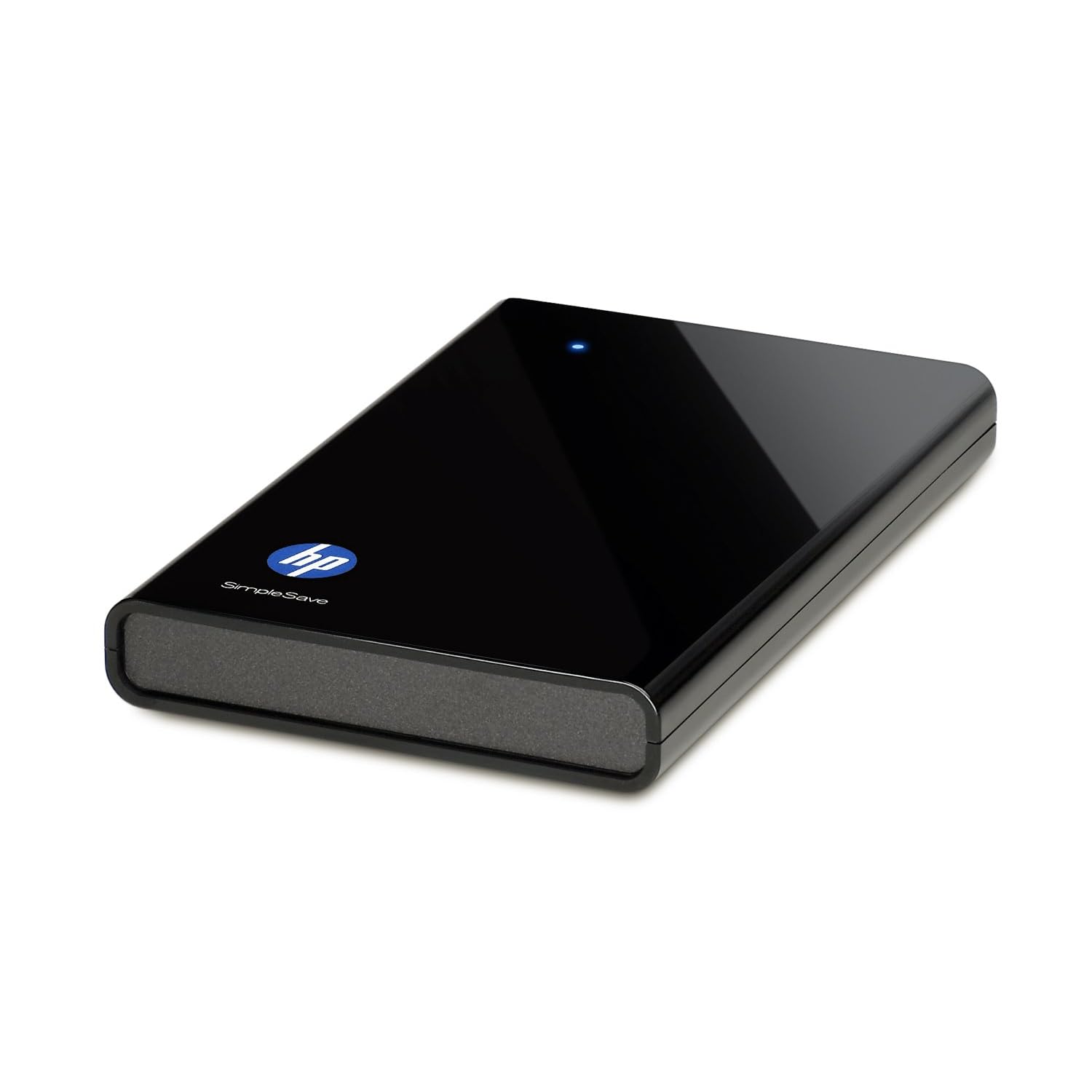
HP SimpleSave 320 GB External Hard Drive $59.99
An external hard drive is the best thing ever to happen to digital photographers/teachers/computer geniuses/anyone who's ever used a computer and has important files. Back.it.up. I love mine because a) I've paid once, I'm not paying every year for "cloud" storage; b) I keep it in my safe in case of disaster; c) it's simple (as is in the name) to use - plug it in and let it run in the background. Yes, I own this very one. Bought mine at Sam's Club though -- and didn't get as sweet of a deal as Amazon's selling it for now. But anyways...best idea ever. If your computer ever crashes, say goodbye to everything you've ever loved about your computer -- goodbye photos, music, videos, internet favorites (yeah, you can back those up too), files, etc. I back things up every week or two - depending on how much important stuff I've accumulated...or not.

My old laptop didn't have a decent amount of memory, so an external hard drive was a savior. It allowed me to keep older photos on it and delete them off my PC so I had more room. Plus, when I got my new laptop, it was so easy to transfer everything over...because it was already backed up. (Are you seeing the benefits?)

Cons? It can lead to massive file hoarding if you don't keep it under control. Things you've deleted off your computer will still stay on your external hard drive when you sync it every time. It's good because you can use it to store things you don't want on your PC, but it's bad because if you solely use it to back up things, you'll be backing up what's been deleted as well if you don't take the time to spring clean your drive. (I will usually delete everything off the drive once a year and resync from scratch since I no longer use it to solely store files.)

Curious about the cloud route? I posted about it last week. Good option if you'd rather have your files accessible wherever you can use the internet.

Make Start Up Faster

Soluto - free

I use Soluto to monitor my boot (start up) time. Before using Soluto my boot time was 3:14. Now my boot time is 0:57. How? I chopped my boot! They scan your start up programs and show you what you can turn off or pause at start up - meaning it either won't start at all, or it will start a few minutes after your computer is running. This allows you to get started on your computer a lot faster because the important stuff loads first (and fast). And no worries - if you chose to turn off something and you want it back on, it saves all of your "removed applications" in the program so you can change your mind.

Make Internet Browsing Faster and Easier

#1 suggestion - don't use Internet Explorer. I love Microsoft, but don't care for their browser. It's way too slow and always has so many issues. Mozilla Firefox has always been my favorite until recently when they decided to roll out several updates within 2 months, making things more complicated. The only reason I'm still using Firefox is because I'm addicted to some of the add-ons they have that Google Chrome doesn't have yet. Google Chrome is an excellent "light" choice. Very simple to use and runs quickly and efficiently. (I don't know anything about Mac, but I've heard Safari is pretty good.)

Roboform $9.95/year
I use Roboform to save all of my usernames and passwords for me. It makes internet browsing so much easier and eliminates the need of 500 post-it notes all over keeping my log ins straight. It also has an option to save all of your personal info (name, address, phone number, email, etc.) and fill forms for registration pages. This is definitely a must for me since I sign up for sweepstakes a lot. All information is stored on my computer, so I can back it up on my external hard drive. You can password protect all of your info with a master password if you so choose, so it can be as secure as you want.

LastPass is another password manager. I've heard good things, but haven't tried it. It's free, but you have to upgrade ($12/year) for more features such as access to back up of your info.

Plan Your Life Digitally

Cozi - free

Not a fan of physical planners? I use Cozi (as well as my physical planner) to remember birthdays and other important events/reminders. Cozi is free and has an awesome feature that will send you an email or text message reminder...and that's my favorite things about it. (I set up text message reminders for birthdays, one week in advance so I don't forget to mail out gifts/cards to family in PA.) You can watch a video on Digitwirl for the full scoop on all of Cozi's features.

Choose a Good Email Host

Gmail - free
Sorry Hotmail and Yahoo lovers, Gmail wins on this one. I've had an email address on all of the different email hosting websites. (I was curious back in the day and ended up with Hotmail, which declined quickly.) While I do still get spam mail from time to time, Gmail generally will catch it and put it in the spam folder. Hotmail never did a good job with this and I was receiving just as much spam as I was wanted email. (Talk about time consuming.) Gmail has all sorts of features: labels, search, lots of space, conversation view (which I could never go without again), priority inbox, labs, etc. I think Gmail deserves it's own post, seriously. (I'll write one this week.) Until then, check out all of it's awesomeness here.

That's all I've got for now. I don't want to suggest a ton of software applications for you to clog up your computer with. These are the basics that I find important to keeping me digitally organized. If you have any PC-related questions, please feel free to email me. I'm a self-taught PC geek and have a ton of resources that I can use to answer your questions. =]

Have a great Tuesday night...too bad it'll be Glee free. =[

I don't know if I can hold out until November 1st...

10.17.2011

October Project: My Favorite Paper Clutter Organizers

Love this post and want to see more like it? Each month through 2012 I will be tackling different topics and creating free printables to go along with the project. View the projects here.


Today I'm going to share some of my favorite paper clutter organizers. Everything I'm going to show you I own and use. Links to items are provided if available.

Paper Collecting


I have a letter tray right on my desk, which is right by the entry to our apartment. This is where incoming mail gets put (if Chris gets the mail) and any other papers Chris brings home that I need to file (receipts, important documents, etc.). (An office supply store, Target, or Walmart might sell something similar for a cheaper price.)

Suggestion: don't use something too deep to collect papers and mail. If there's a lot of room to fill it up, you most likely will before cleaning it out. This can lead to forgotten about bills and other important things you may get in the mail. I've been there. I used to use a large plastic bin to collect paper and mail. The problem is there was too much room
to fill it and it wasn't see through (like the basket is), so it was just hiding the clutter.

Paper Sorting

The Container Store Open-Top File Boxes $4.99-$6.99 (3 sizes available)
This open-top file box (medium size) fits perfectly in my Thirty-One Organizing Utility Tote. Right now I don't have it in my tote - it's sitting on my desk (I'll show you my new "office space" later this week). The plastic file works better in the tote than the mesh one (see below) because it's not as heavy and it's a lot more sturdy.

Target Silver Mesh Tabletop File (unsure of price, only sold in-store)
This mesh desktop file is what I used to create my mail station. Any desktop file will do, but I personally like the mesh one because I have magazine files next to it that match it. Plus, hanging a calendar from the font works a lot better with this type of file rather than the plastic one (above).

Staples 5-Tab Hanging Folders $16.99
Hanging folders work in the open-top file boxes and in filing cabinets. I use mine in both places. I bought my hanging files from Staples.


Magazine files are great for organizing all sorts of things. My favorite ways to use them is for magazines and notebooks. They're cheap to make yourself out of old boxes or can be bought at a reasonable price at Target (most of the time - the silver mesh ones are cheaper than the decorative ones usually). I also use magazine files in my closet to organize books, mailing envelopes, and paper scraps.


Carolina Pad 8-Pocket Organizational Folder $3.47
I use an 8-pocket folder and lined notebook to organize blog and Etsy related information. I can store both in magazine files when not in use, but they're easy enough to take wherever I need. I used to write everything down on loose pieces of paper and they ended up all over the place. I plan on using my label maker to create labels for the pockets, but I'm not 100% decided yet on what I'm using all of the pockets for (I just started using this).

Carolina Pad Hot Chocolate 26-Pocket Expanding File $14.92

The Container Store Accordion Receipt File $6.99

bought at Target back in 2005 when I started college


Accordion files are a great way to sort many documents within the same category. I like that they come in all different sizes, so they can be used in many ways. I use them to organize coupons, receipts, and product manuals. I used to have two for college info - one for me and one for Chris. I still have mine because I need to transfer everything into a binder and get rid of the excess junk that I no longer need.

Suggestion: When using an accordion file, it can be easy to forget what's inside if you're using it as a storage item. Add "clear out ____________ file" to your monthly/seasonal/yearly to-do list so that you don't end up with 5 years worth of documents you don't need. Plus, when you clear it out, it makes more room for new things to come in and will make your file last longer because it won't be busting at the seams.


Binders make organizer paper a lot easier if you need to categorize and access it often. You can use tab dividers to categorize and sort paper. Sheet protectors allow you to keep important documents at hand without punching holes in them. (Some sheet protectors can even be written on with dry erase markers and cleaned off, allowing you to use papers over and over again. This is a great idea for children's activity books. Tear out pages, insert into sheet protectors, put in a 3-ring binder, and allow them to use again and again.)

I have a ton of binders not currently being used. I used them for every course I was taking when I was in school. I'm saving them because when I eventually get a classroom teaching job, I know I'll need them again. Currently I'm using binders to organize my home management worksheets, recipes, and student loan information.


No office to keep your files in? I recently turned our kitchen table (that we don't use to eat at) into my "office". (I'll show you later this week.) I have since taken the open top file out of my Thirty-One Organizing Utility Tote, but I wanted to show you how you can use one. It makes not having an actual office so much easier. Read my previous post on my tote here. Any tote bag that will fit a file box would do - as long as it's sturdy enough to not dump everything.

InPlace System Poly Document Envelopes (3 pack) $5.19
Document envelopes are such great tools to have when dealing with paper clutter. I like to use them when out and about if I'm taking papers with me that I need to stay perfect. For example - resumes, cover letters, important documents for when I was changing my name, etc. They're flexible since they're poly, so they don't get ruined like a paper folder would. And they snap shut, so you won't loose anything along the way.


Bins/baskets/buckets are a great way to corral notebooks and other office supplies, too. I use this bucket I got from HomeGoods to hold my planners, mini notebooks, Kindle, and colorful pens.

Suggestion: Don't use bins/baskets/buckets to just throw things into. Only use them if you're standing things up in them (like in the photo above). This way you can see what's inside and it won't be another clutter-collecting black hole.

Mead Organizher Magnetic Fridge Filer - available at Target
My magnetic fridge filer holds my weekly dinner menu, business hours (for local places we visit often), and tv show schedule (hey, now that fall shows have started again, I easily forget what's on when). If I had children, I'm sure I'd have a much better use for this. You could always create your own with sheet protectors.

Erin Condren Life Planner $50
Having a daily planner is so helpful (and necessary for me). It allows me to keep everything in one place - appointments, special occasions, tasks completed, etc. I used to use post-it notes and would have them all over the place to keep track of things because I didn't like writing in a planner or I'd always forget. Now that it's in a convenient place, I use it all of the time. No more wasted post-it notes all over the house.

Purse Paper Clutter


Vera Bradley, I love you. The only purses I will buy now are Vera Bradley. They're washable, have so many organizing pockets, and come in all different sizes and styles. Obsessed much? Yes. I have smaller bags than this and larger totes. This is the bag I'm using right now though. My store/restaurant coupon organizer fits perfectly inside with my wallet, rewards card/gift card zip pouch, and cosmetic bag. I used to care about everything matching inside, but now I don't. I really enjoy the variety of colors and patterns.


Mini pouches and cosmetic bags are great for corralling small things such as paper clips, rubber bands, pens/pencils/markers, coupons, receipts, business cards, rewards/gift cards, etc. I obviously have way too many that are not being used. (And that, my friends, is why it's important to keep like items together.) Oops. 13 pouches total -- 5 brand new...hmm. I need to find ways to use these I guess.

Organize Paper Clutter Busting Supplies


Okay, so maybe not the best title for this "section" of the post, because there's really no organization going on here. But point being this: have supplies at hand so that you can take care of things as they come up. I'd make stacks of papers that needed to be hole punched or stapled, thinking I'd do it all at once...right...a month later. Having supplies available will encourage you to use them. They're in plain sight after all. And if they're colorful and fun, you may not mind having them visible.

Longest post ever...sorry about that. It only took me 2 hours to write. lol

Tomorrow I'll share my favorite digital clutter organizers.


LinkWithin

Related Posts Plugin for WordPress, Blogger...